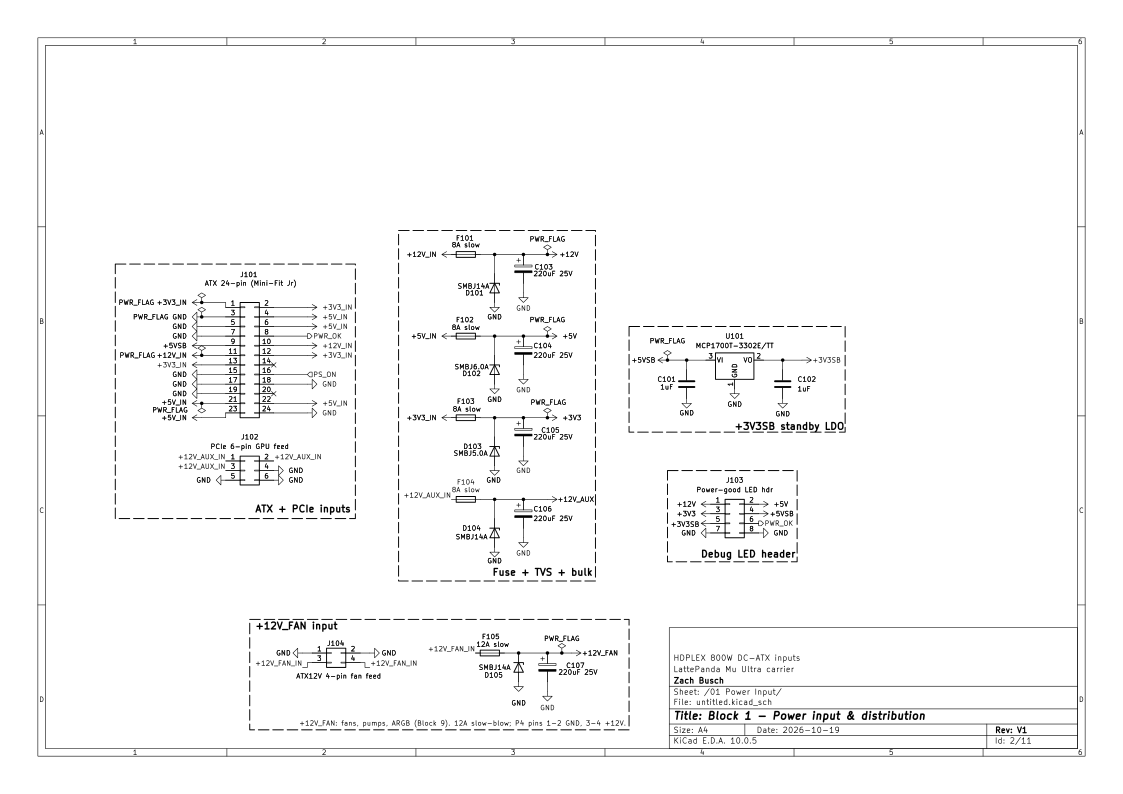
Three cables come in from one 800 W power supply. Each one feeds its own part of the board and has its own fuse and surge protection.
Three cables come in from one 800 W power supply. Each one feeds its own part of the board and has its own fuse and surge protection.
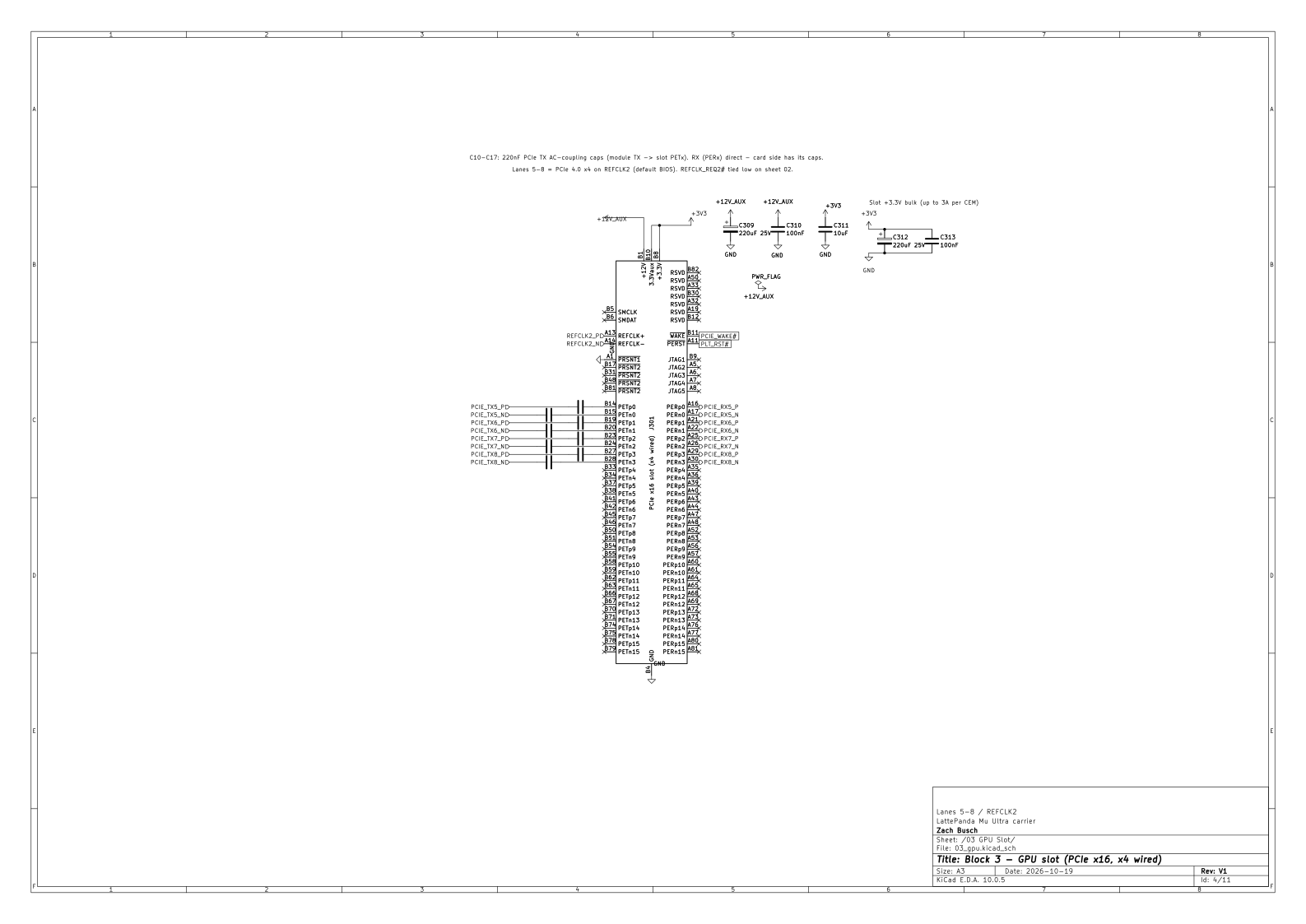
A full-size graphics card slot with its own 12 V cable.
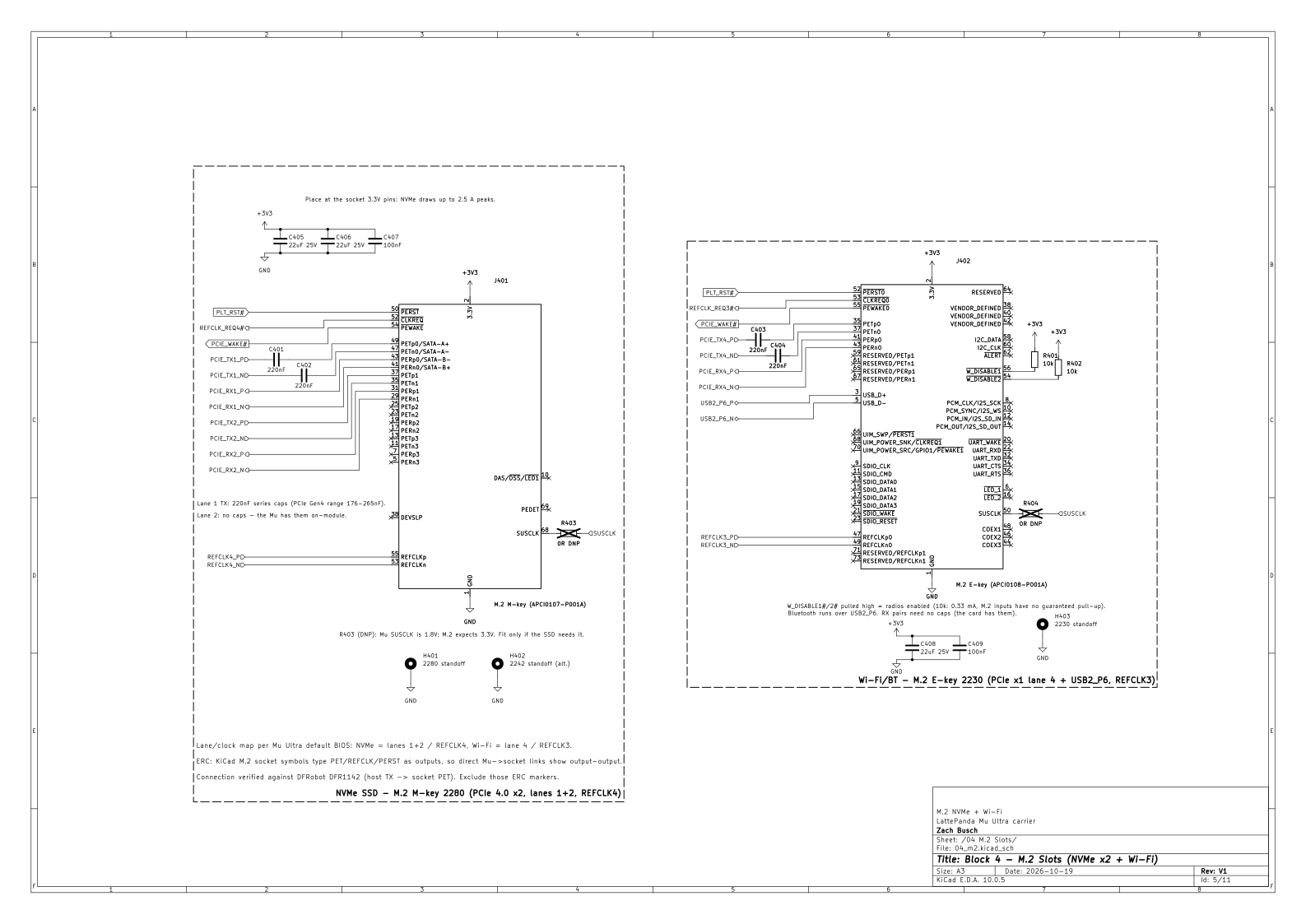
Two card slots: one for an NVMe SSD, one for a Wi-Fi and Bluetooth card.
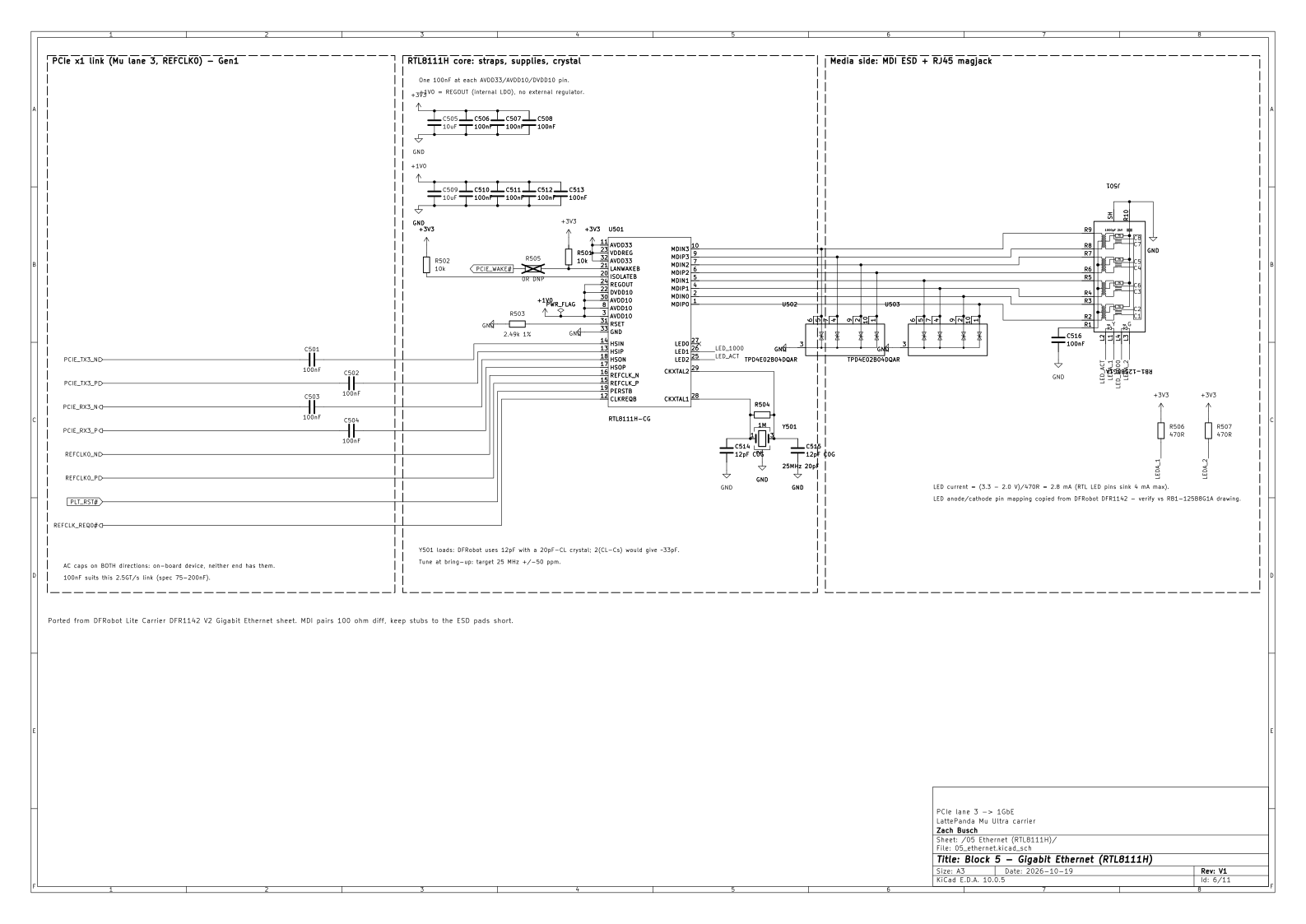
A wired network port, built around a Realtek network chip on the board.
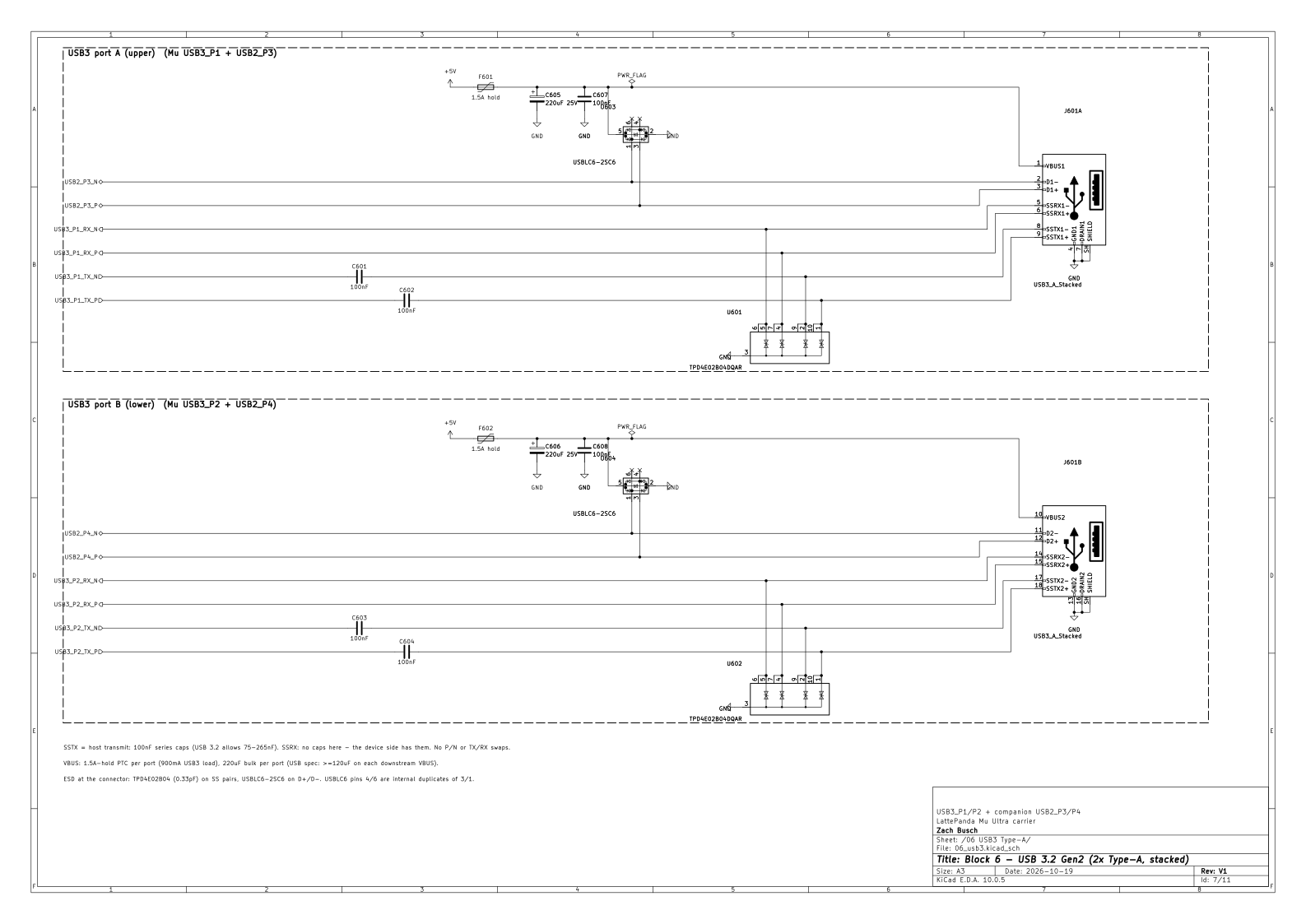
Two stacked USB-A ports (USB 3.2 Gen 2). Each one has its own fuse and static protection.
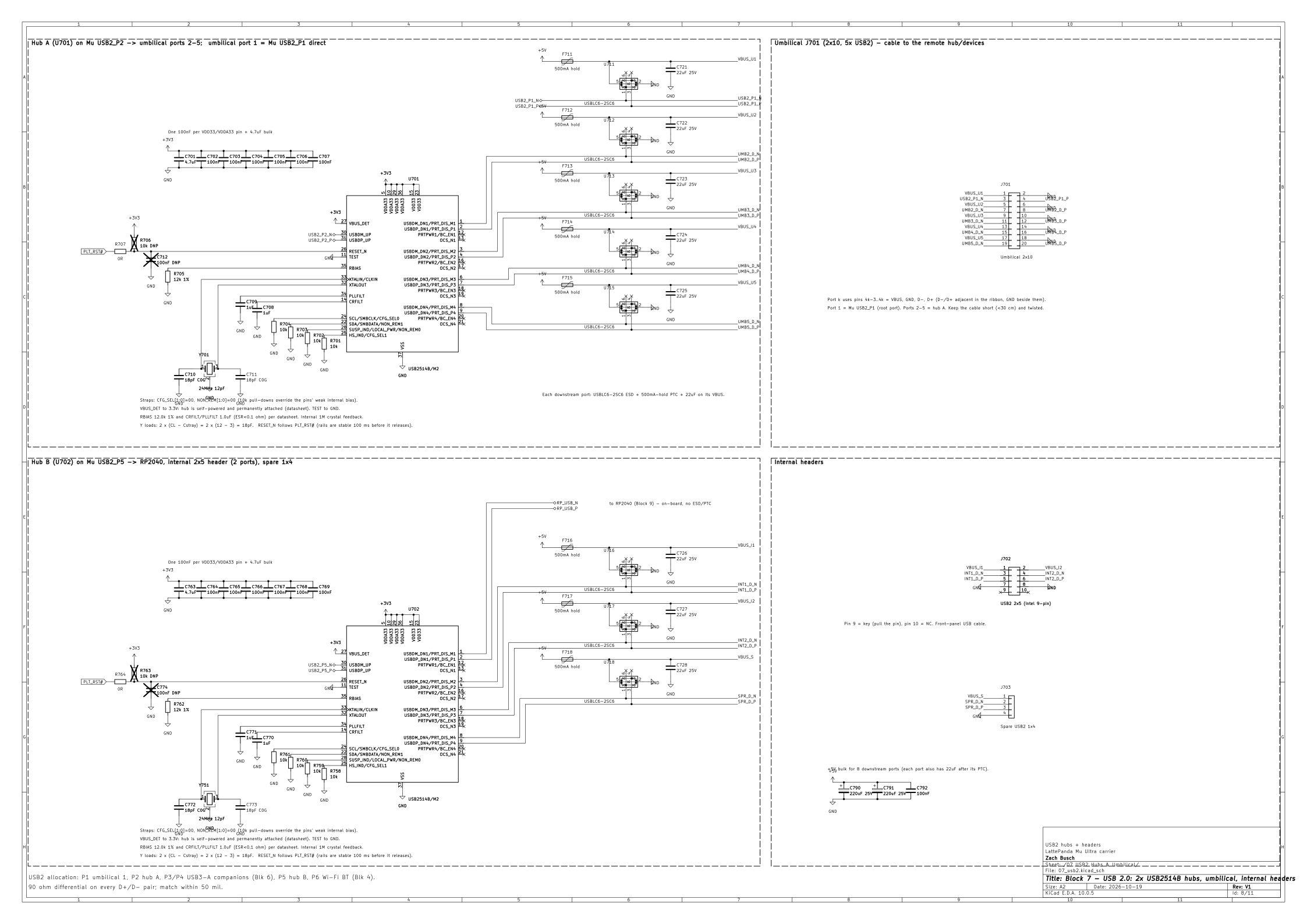
The module runs short of USB 2.0 ports, so two hub chips add more: a 5-port “umbilical” connector, a front-panel header, the fan controller and a spare.
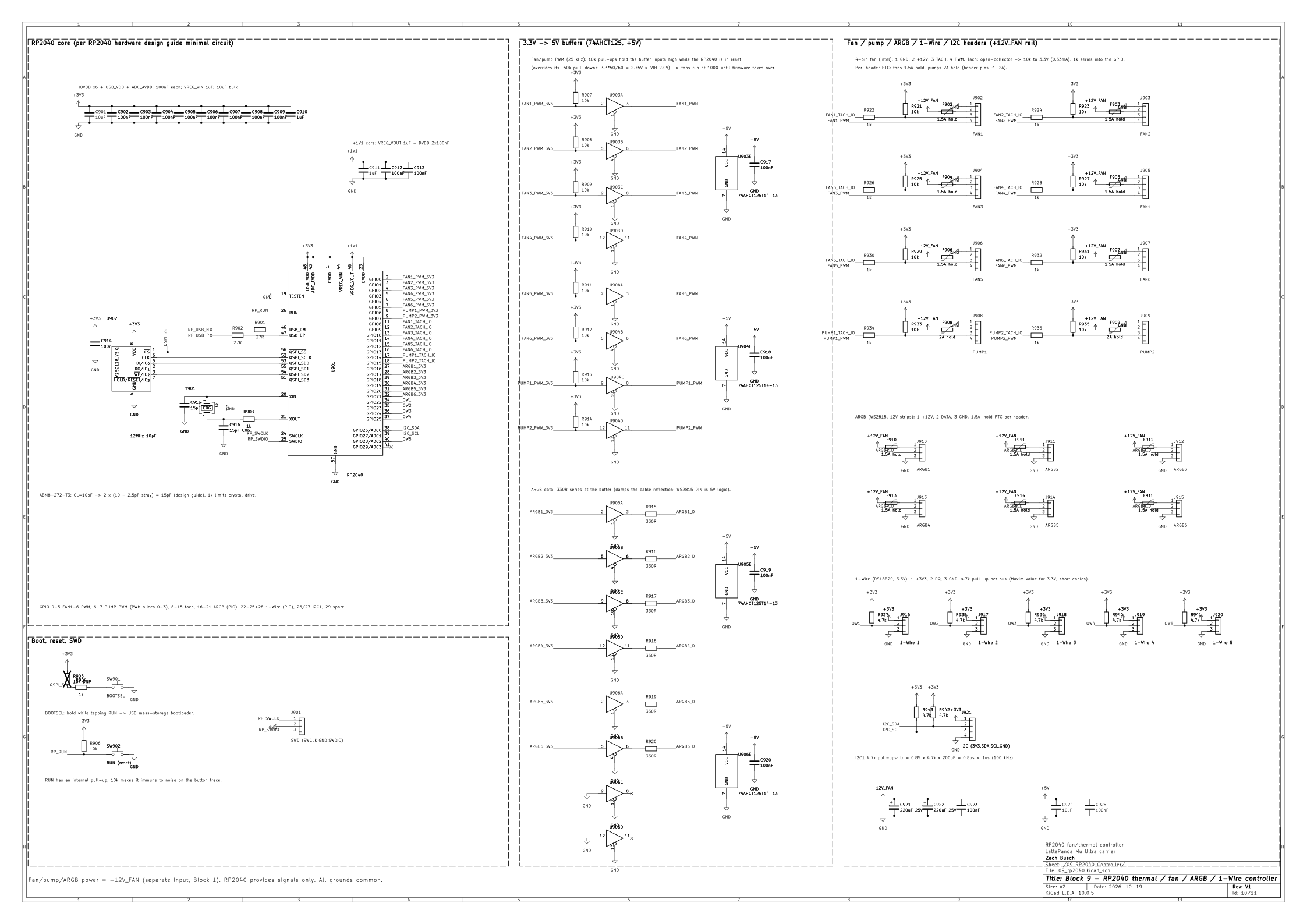
A Raspberry Pi RP2040 microcontroller runs the PC’s fans, pumps, RGB lighting and temperature sensors.
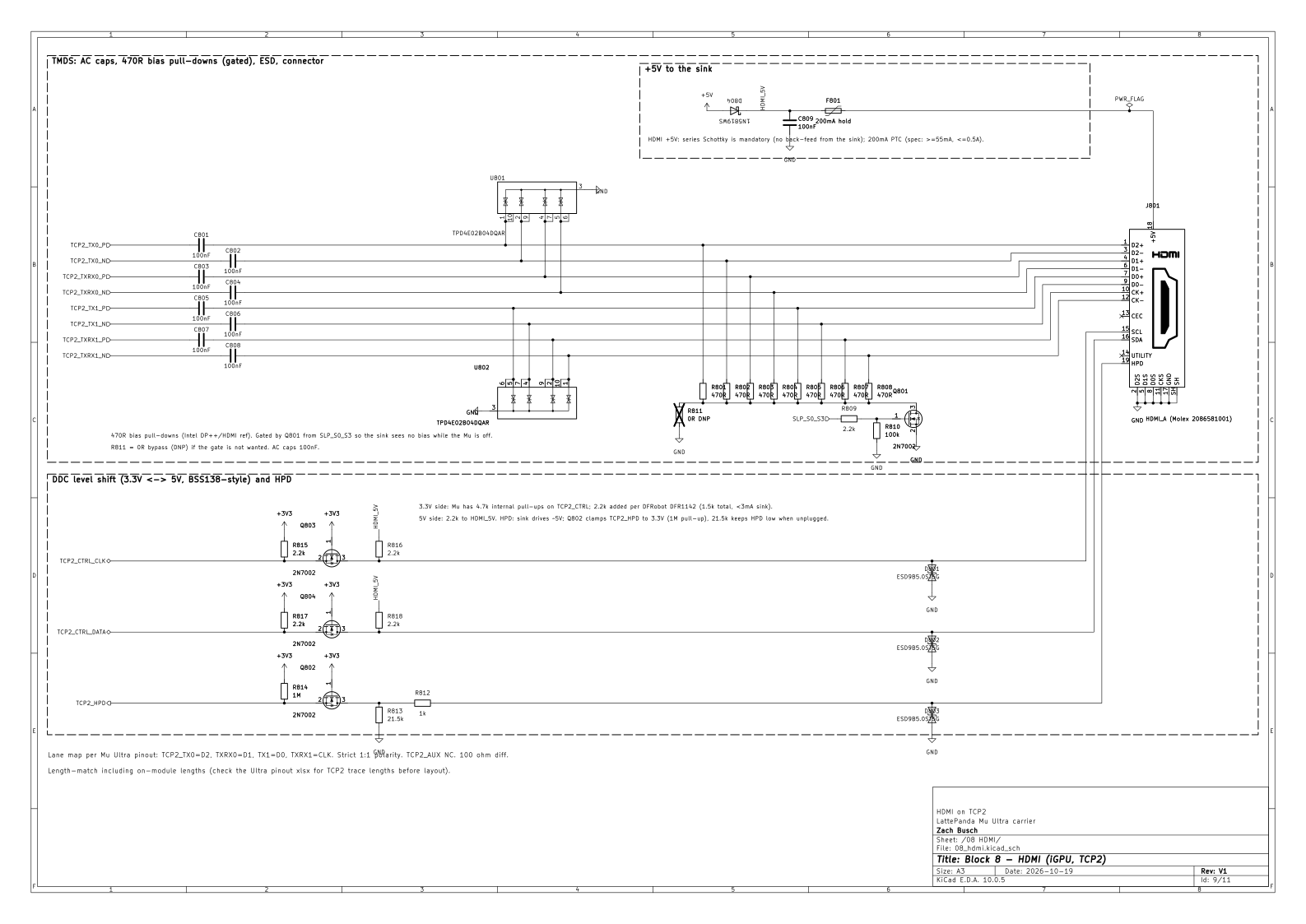
A monitor output, made from one of the module’s Type-C display ports.
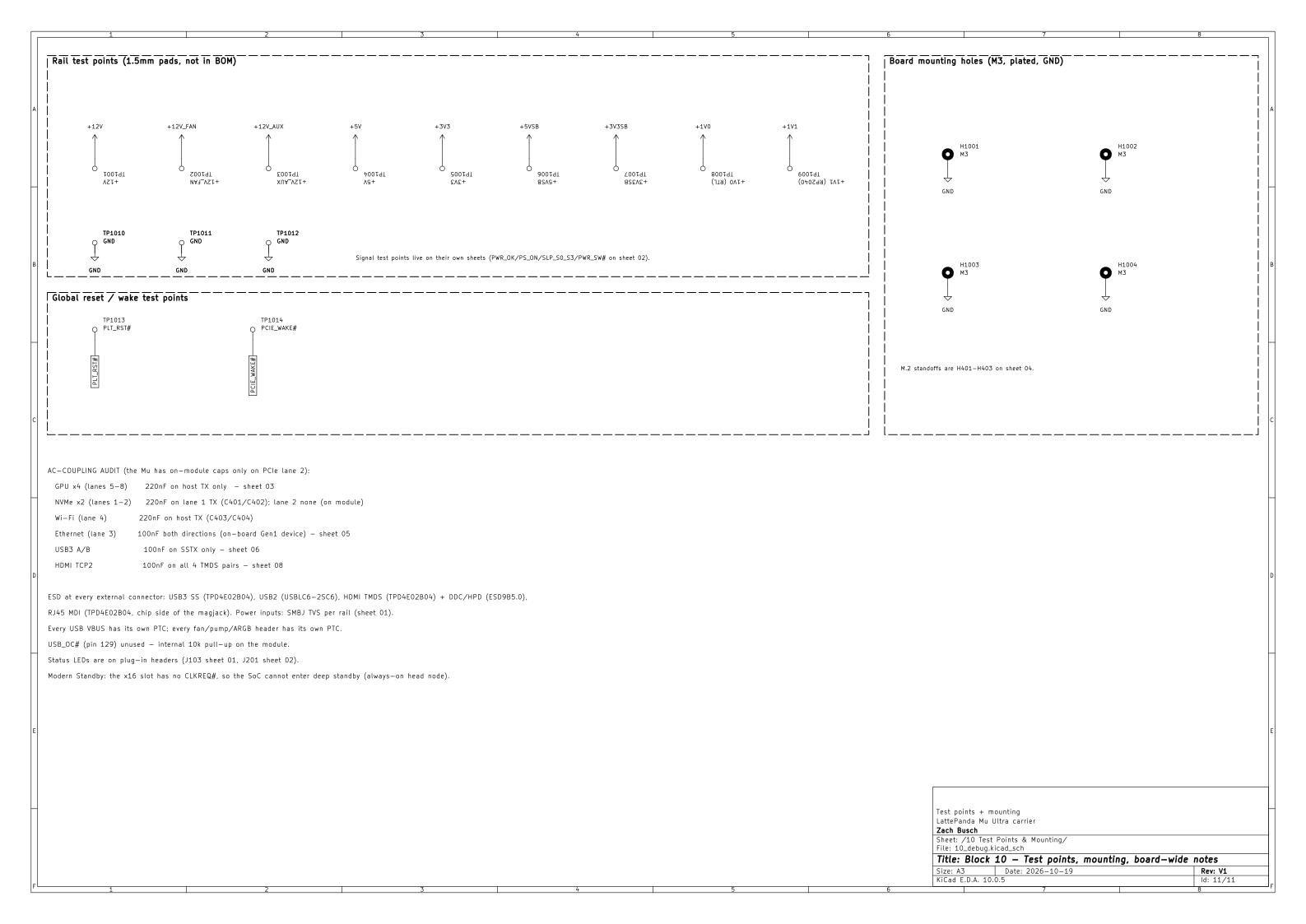
Test pads on every power rail for checking the board when it’s first powered on, plus four M3 mounting holes.